Sales
Deleting or Voiding Invoices
Note: Before deleting invoices for the first time you will have to enable the option Allow to delete invoices that is available in the Settings screen.
- Open the document that you want to delete
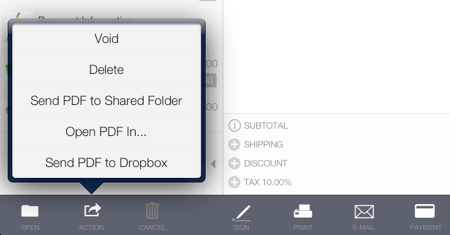
- Tap the Action button
- Tap Delete or Void. To unvoid a voided invoice tap Unvoid.
The same procedure can be applied to delete quotes, estimates, work orders and templates.