Sales
Sending the PDF sales document to another app, to shared folder or to Dropbox
- Open or create a new document
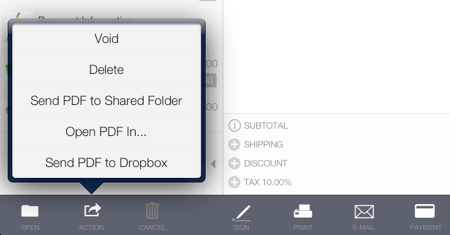
- Tap the Action button
- Select any of the following options:
- To open the PDF in another compatible app installed on your iPad, tap Open PDF In…* and then select the app.
- To send the PDF to the iTunes shared folder select Send PDF to Shared Folder and use iTunes to transfer the file to your computer.
- To send the PDF to the default Dropbox documents folder select Send PDF to Dropbox. Set the default Dropbox documents folder in Settings > Configure Dropbox.