Sales
Create an Invoice from a Quote, Estimate, Work Order or Template
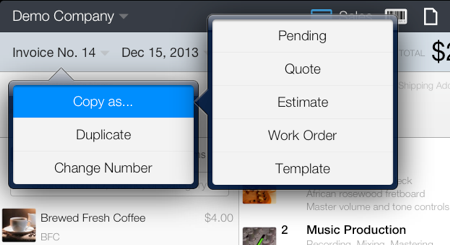
- Open the original quote, estimate, work order or template
- Tap the document type and number button (see image) and choose Copy as…
- Choose the new document type. A new invoice is created containing all the information from the source document.
- Tap Save.
The original document is not modified.