Sales
Applying Discounts
Item Discount
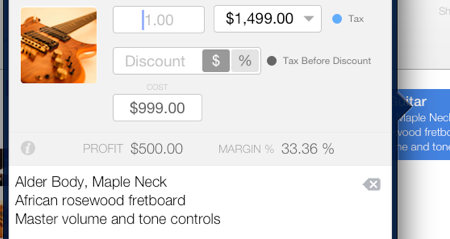
- Select the line item you wish to apply a discount to.
- In the Discount field, enter the amount of the discount.
- Select the currency symbol button if the discount is in currency or the percentage % button if the discount is a percentage.
- Tap the Accept button to apply the discount.
Global Discount
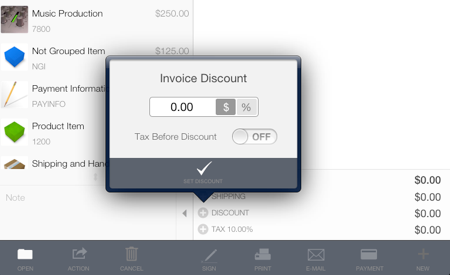
- To apply a discount to the subtotal, locate the plus icon (+) on the left side of the Discount line. A discount box will appear.
- Enter the discount amount or percentage to be applied to the sales document.
- Select the Tax Before Discount option based on your local tax regulations. Enable this option to calculate the tax before any discount is applied. Disable it to calculate the tax after the discount is applied.
- Tap the Set Discount button to apply the changes.