Sales
Overview
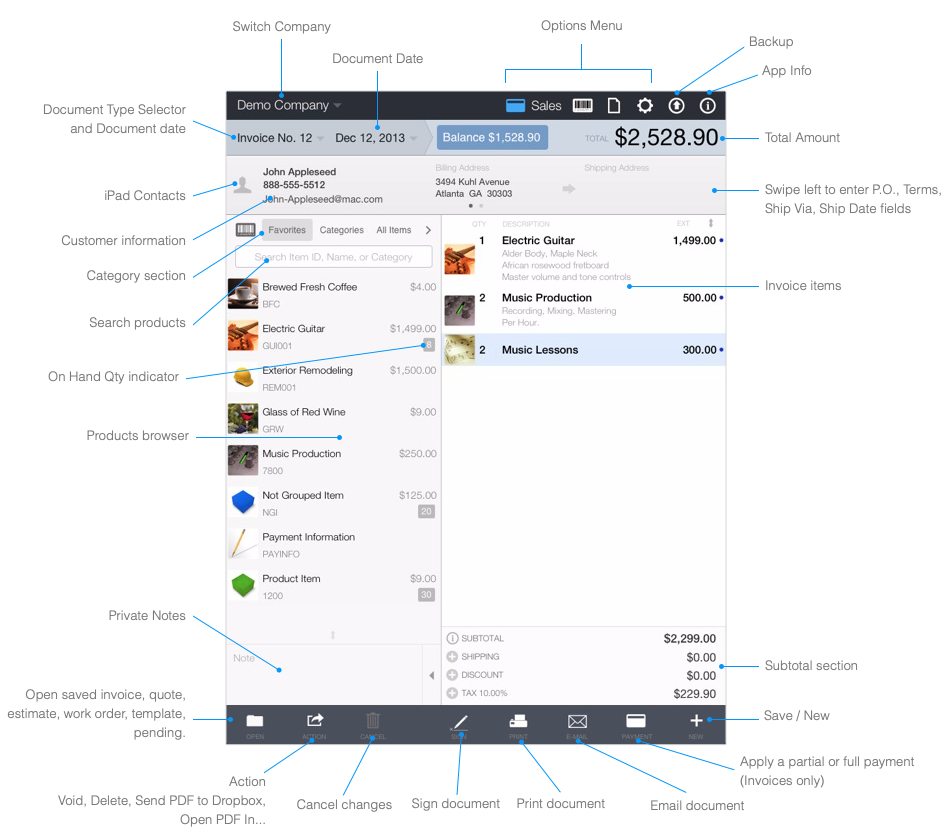
To get started with Quick Sale follow these steps:
-
Configure the default settings: See the Settings help page for instructions on how to configure the Tax and other important settings.
-
Create your items or services: See the Products help page for instructions on how to create new items.
-
Create invoices, estimates, quotes or work orders: See the Sales help page for instructions on how to create or edit the sales documents.
-
Save, E-Mail or Print the invoice: See the Sales help page for instructions on how to save, email or print.