Sales
Add Customer Contact Information
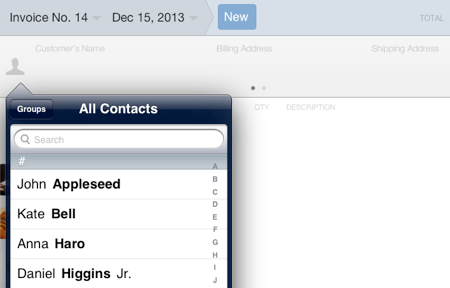
Contact information can be added to the sales document from the contacts list available on the iPad. Use the Contacts app to add new customer information to your contacts list.
To add a contact to the sales document:
- Tap the person icon located at the left side of the Customer information section.
- Search or select the contact.
- The contact’s details should appear. Tap the preferred address, phone or email, and the contact information will be added to the contact information section.